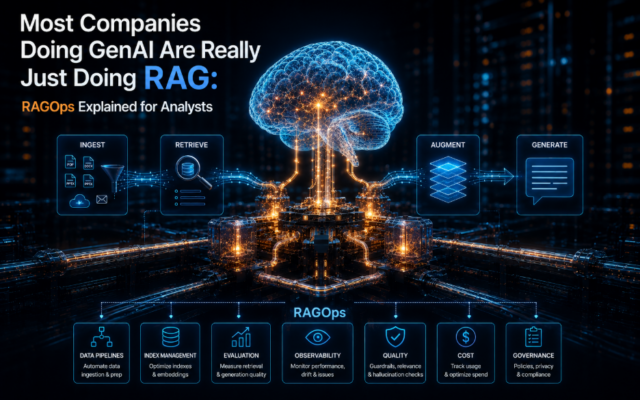
If you want to know where enterprise AI is actually working, don't look at the demo room. Look at the support queue, the internal knowledge base, and the service desk. That's where these tools are turning search, repetitive requests, and customer conversations into measurable workflows that earn back their budget.
This month's ranking leans into that reality, separating genuine deployment leverage from launch-day buzz. For leaders building a case, remember: pricing, permissions, integration effort, and how you handle company data matter just as much as the flashy demo.
1. Amazon Q Business
What It Does
An AWS-native assistant that lets employees search workplace content and get answers, all governed by their existing permissions. It can also perform pre-approved actions, cutting down on document hunting and routine internal questions without forcing workers to learn a whole new system.
Why It's Trending
In 2026 pricing comparisons, it gives buyers something refreshingly concrete: a public price ladder. It’s $3 per user per month for the Lite tier and $20 for Pro. Plus, with integrations for Slack and Teams, it brings assistance right into the collaboration tools where people are already working.
Key Capabilities
- Permission-aware search across enterprise content
- Generative answers that summarize workplace knowledge
- Approved actions for authorized internal tasks
- Access within Slack and Microsoft Teams
- Tiered pricing for a low-cost pilot or broader rollout
Best For
- CIOs funding permission-aware workplace search
- IT teams connecting content sources and identity controls
- Business teams answering recurring internal questions
- Operations teams piloting approved employee actions
What Makes It Different
Amazon Q Business packages workplace search with action-taking and a clear, published price ladder. Against a tool like Glean, its AWS roots and lower entry price can simplify a contained pilot, but its real value still depends on how well you can connect your content sources and set up governance.
Enterprise Use Cases
- IT teams connecting enterprise content to reduce internal document hunting
- Support teams answering recurring employee questions with search
- Operations teams performing approved actions from employee requests
- Business teams piloting knowledge assistance through Slack or Teams
Deployment & Integration
Cloud / API – Integrates with Slack, Microsoft Teams, enterprise content sources, and identity controls.
Things to Consider
- While permission-aware responses are a key control, the available details lack a deep dive into the security architecture.
- Rollout requires mapping content permissions and identity controls before indexing workplace sources.
- The value hinges on connecting your content sources; it’s not just about assigning seats.
- Pro pricing is $20 per user per month, while the $3 Lite tier is much narrower in scope.
Our Verdict
CIOs and IT teams should evaluate Amazon Q Business first for permission-sensitive internal search and approved actions, provided their existing AWS, identity, and content-source setup can support a controlled pilot at their chosen price tier.
Product page: https://aws.amazon.com/q/business/
2. Moveworks
What It Does
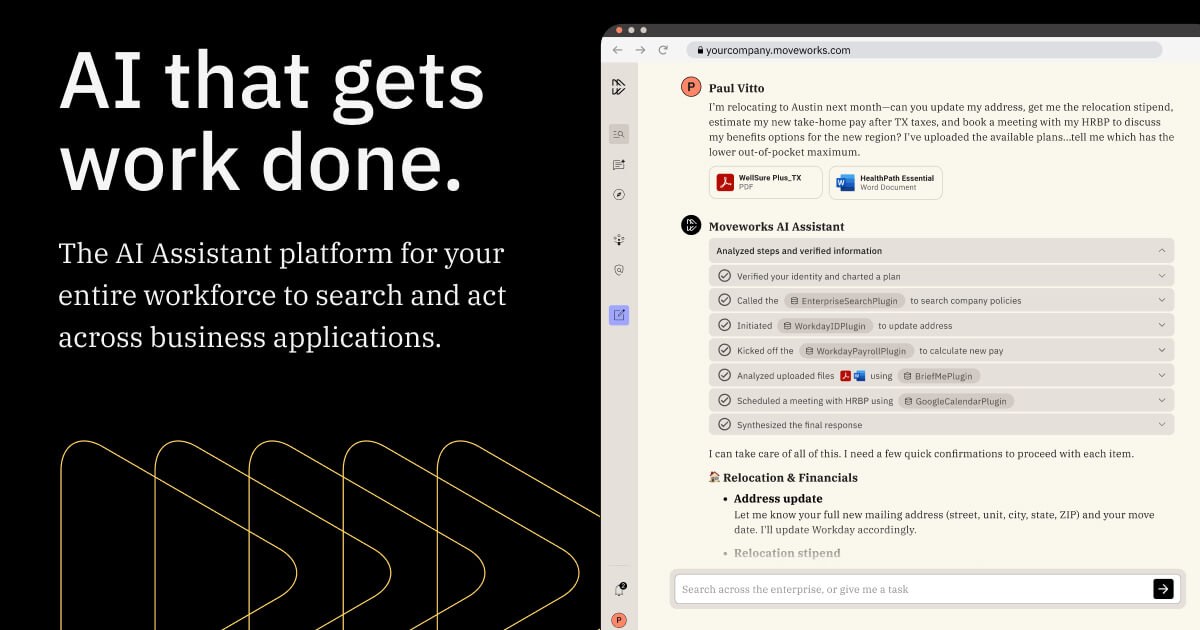
An automation platform built for employee support. It interprets requests, answers questions, and completes actions across your internal systems, letting IT, HR, and service teams move repetitive tickets and status-chasing work out of the queue.
Why It's Trending
In 2026, Moveworks shows up as a leading vendor in enterprise AI platform comparisons. Its momentum isn't about a new feature; it's about a category that's matured. Organizations are now comparing full-service automation platforms, with negotiated prices commonly estimated between $40 and $60 per user per month.
Key Capabilities
- Understanding employee support questions
- Generating answers for routine internal queries
- Automating workflows across enterprise systems
- Rolling out service by domain, starting with IT or HR
- Governing which actions and information requests can access
Best For
- CIOs evaluating employee-service automation investments
- IT teams reducing service-desk triage and repetitive tickets
- HR teams automating recurring employee-service requests
- Employee-services teams replacing status chasing with automated resolution
What Makes It Different
Buyers evaluate Moveworks as a broad employee-support layer, not just a helpdesk chatbot. Compared to Aisera, its distinction here is the explicit focus on request understanding, cross-system actions, and a staged expansion plan across different service domains.
Enterprise Use Cases
- IT teams triaging service-desk requests and resolving repetitive tickets
- HR teams answering recurring employee-service questions
- Employee-services teams automating status requests and follow-up work
- Operations teams expanding automation from one tuned service domain to another
Deployment & Integration
Cloud / API – Integrates with enterprise workflow systems, support-ticket platforms, identity controls, and internal service domains.
Things to Consider
- Customer-specific deployments and enterprise controls are typical, but specific certifications or data residency details aren't provided.
- You must map permissions before letting it take cross-system actions on behalf of employees.
- Implementation expands only after you tune workflows and connect to your support-ticket systems.
- Negotiated pricing is commonly estimated at $40–60 per user per month, which can slow a broader rollout.
Our Verdict
Consider Moveworks for multi-domain employee support where automation can genuinely replace repetitive tickets, but know that the business case lives or dies on integration effort, permission design, and the final negotiated expansion costs.
Product page: https://www.moveworks.com/
3. Glean
What It Does
An enterprise search and knowledge platform that digs across your workplace apps and generates answers from company data. Employees find information trapped in siloed systems, while knowledge and IT teams get a central productivity layer.
Why It's Trending
Glean is a standard mention in 2026 enterprise AI platform comparisons. Third-party estimates place its negotiated pricing around $15 to $25 per user per month, putting it squarely in the buying conversation for companies weighing dedicated search against broader assistant platforms.
Key Capabilities
- Cross-application search
- Generative answers from enterprise content
- Knowledge management to reduce repeated questions
- Connectors for indexing business applications
- Admin and access controls in enterprise plans
Best For
- CIOs selecting an enterprise knowledge strategy
- IT teams connecting siloed workplace applications
- Business teams finding internal answers without repeated requests
- Knowledge-management teams reducing duplicated search work
What Makes It Different
Glean’s center of gravity is enterprise search. It’s typically compared with Amazon Q Business for finding and explaining workplace knowledge. Its connector-led model shines when fragmentation is the core problem, but it doesn’t promise the same breadth of back-office workflow automation as a platform like Moveworks.
Enterprise Use Cases
- Knowledge teams indexing workplace apps to break down search silos
- IT teams connecting enterprise apps and setting access controls
- Business teams answering repeated internal questions with generative search
- Employees finding company info without manually searching each system
Deployment & Integration
Cloud / API – Connects to enterprise applications, workplace content sources, and administrative access controls.
Things to Consider
- Enterprise plans include admin and access controls, but deeper certifications or residency details aren't listed.
- You need to configure permissions across connected sources before employees rely on generated answers.
- Rollout requires connecting content sources, setting permissions, and indexing knowledge—it's not instant.
- The estimated $15–25 per user per month is negotiated and can vary with your source count and scope.
Our Verdict
Evaluate Glean when fragmented workplace search is your measurable productivity problem, and focus procurement on connector coverage, permission accuracy, and that final negotiated price.
Product page: https://www.glean.com/enterprise-search
4. Intercom Fin
What It Does
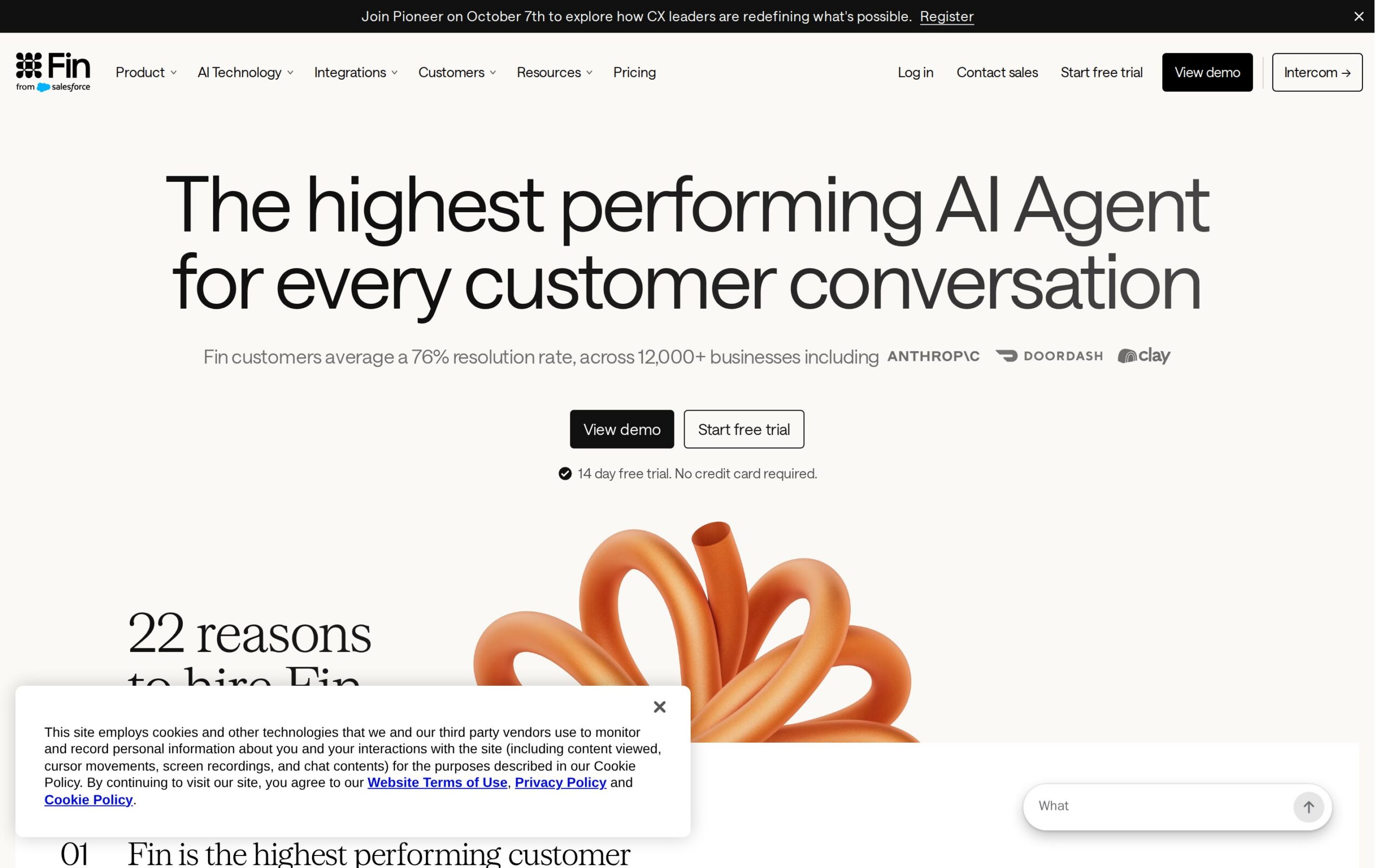
An AI agent for customer support that handles service conversations and escalates tougher cases. It's built for the first line of support, where automating repetitive questions can cut ticket load while keeping complex issues in the human queue.
Why It's Trending
In 2026 cost comparisons, Fin is treated as a mainstream option for support automation, with pricing cited at $0.99 per resolved conversation. That usage-based model makes it easy to frame a pilot around volume, but it also puts high-volume economics at the heart of the buying decision.
Key Capabilities
- Automated resolution of routine customer questions
- Escalation of harder conversations to human agents
- Support inside customer messaging workflows
- Knowledge-led responses for first-line service
- Usage-based pricing linked to resolved conversations
Best For
- CIOs measuring support automation by resolved volume
- Customer-support teams reducing repetitive ticket handling
- Business teams improving first-line response capacity
- Support operations teams tuning queues and escalation rules
What Makes It Different
Fin’s clearest differentiator is its commercial model: you pay per resolved conversation inside the Intercom support stack. Compared to broader platforms, it’s narrower and easier to position around customer conversations, but less suited for cross-department workflow automation.
Enterprise Use Cases
- Customer-support teams resolving repetitive service questions automatically
- Support operations teams routing unresolved conversations to human agents
- Business teams piloting automation in one support queue
- Intercom teams expanding use after tuning knowledge articles and escalation rules
Deployment & Integration
Cloud / API – Requires an Intercom seat plan and integrates with customer messaging workflows, support queues, and knowledge articles.
Things to Consider
- Security relies on Intercom workspace controls and channel permissions; no independent certifications are stated.
- You'll need to tune knowledge articles and escalation rules before scaling automated responses.
- It sits inside the Intercom support stack, so you need an Intercom seat plan.
- At $0.99 per resolved conversation, costs can climb quickly with high support volume.
Our Verdict
Assess Fin when repetitive conversations dominate your queue and resolution volume is measurable, but model your peak usage carefully before accepting per-resolution economics at enterprise scale.
Product page: https://www.intercom.com/fin
5. Command A+
What It Does
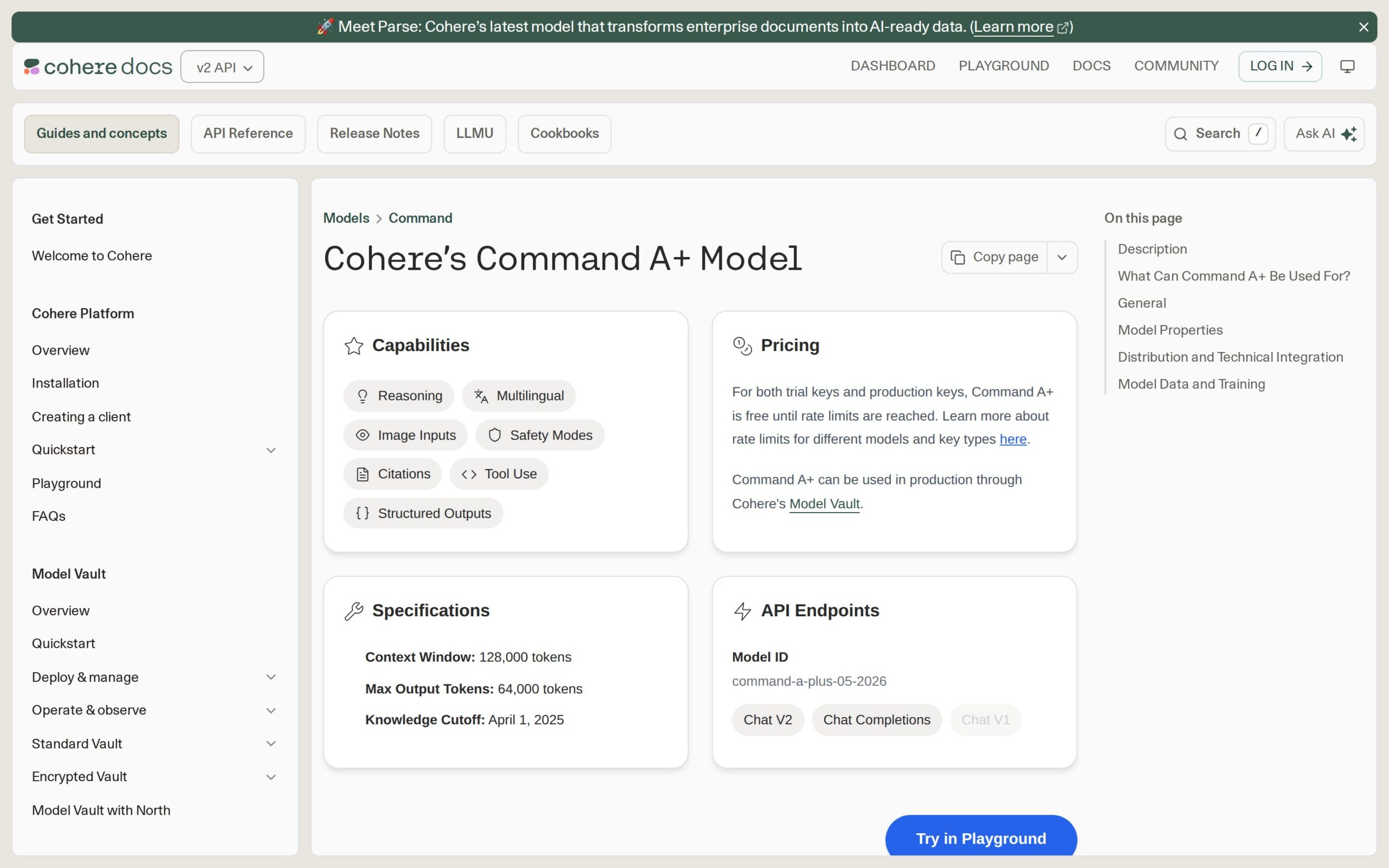
Cohere’s foundation model for enterprise applications, available via API and a private Model Vault. It takes both vision and text, supports reasoning and translation, and handles agentic business tasks, giving application teams one model layer for workflows that might otherwise need several specialized picks.
Why It's Trending
Cohere released Command A+ on May 20, 2026 and made it generally available to all users through standard APIs. They bill it as their first Mixture of Experts model, and free trial and production keys are available until you hit rate limits.
Key Capabilities
- Processes multimodal business content (vision and text)
- Supports complex reasoning for applications
- Handles multilingual translation workflows
- Powers business-process agents
- Offers a private deployment option via Model Vault
Best For
- CTOs choosing a common model layer for applications
- Application teams building multimodal enterprise workflows
- Business teams automating translation tasks
- CIOs evaluating private model deployment for sensitive work
What Makes It Different
Command A+ packs vision, reasoning, translation, and agentic tasks into one Cohere model, with both API and private-deployment paths. For enterprises, the Model Vault route is the key differentiator; we don't have comparative performance data or customer adoption evidence yet.
Enterprise Use Cases
- Application teams building multimodal apps through Cohere's APIs
- Translation teams consolidating some standalone translation work
- CTOs supporting agentic business tasks with one model layer
- Enterprise teams testing private deployment via Model Vault
Deployment & Integration
Cloud / Hybrid / API – Access via Cohere API endpoints, Model Vault, and private enterprise deployment options.
Things to Consider
- Private deployment is offered for security and control, but the architecture details aren't public.
- Detailed compliance and residency terms weren't published in the available sources.
- API adoption is straightforward in principle, but there's no published implementation timeline.
- Free access has rate limits, and standard enterprise pricing wasn't published.
Our Verdict
CTOs and application teams should evaluate Command A+ for multimodal or agentic workloads that could use one model layer, but confirm residency, compliance, private-deployment terms, and production pricing first.
Product page: https://docs.cohere.com/docs/command-a-plus
6. Aisera

What It Does
An enterprise service-automation platform covering IT, HR, and customer support. Its generative AI and agents handle service interactions, route repetitive requests, and automate internal workflows that usually eat up Tier-1 staff time.
Why It's Trending
Aisera appears in 2026 enterprise AI platform comparisons as a current automation vendor. Pricing is described as negotiated, with estimates around $30 to $50 per user per month plus usage-based components, keeping it in the conversation for teams comparing service automation economics.
Key Capabilities
- Generative interactions for routine requests
- Agent automation for internal workflow tasks
- Intelligent routing for repetitive service work
- Multi-domain support across IT, HR, and customer support
- Usage scaling beyond seat-based pricing
Best For
- CIOs comparing enterprise service-automation platforms
- IT teams reducing Tier-1 service-desk work
- HR teams automating repetitive service delivery
- Customer-support teams handling routine requests
What Makes It Different
Aisera spans IT service management, HR service delivery, and customer support in one platform. Compared to Moveworks, the emphasis here is on generative AI and usage-based expansion, rather than a distinct cross-system employee-support workflow—buyers should test for overlap carefully.
Enterprise Use Cases
- IT teams automating Tier-1 service-desk requests
- HR teams handling repetitive employee-service interactions
- Customer-support teams routing routine customer requests
- Operations teams starting with one service domain before expanding
Deployment & Integration
Cloud / API – Integrates with service-management systems, enterprise workflows, knowledge sources, and automation rules.
Things to Consider
- Enterprise controls are typical, but no certification, residency, or architecture details are provided.
- You must configure knowledge sources and automation rules before expanding service coverage.
- Rollout begins with one domain and grows after workflow configuration.
- The estimated $30–50 per user per month can rise with usage-based components.
Our Verdict
Compare Aisera where you need one platform to span several service domains, with the final decision hinging on workflow integrations, projected usage growth, and the negotiated commercial terms.
Product page: https://aisera.com/
7. Perplexity Enterprise Pro
What It Does
An AI search and answer platform built for analysts, product teams, and knowledge workers. It researches and synthesizes questions, cutting down on manual web research and first-draft analysis, and adds enterprise account controls and admin oversight.
Why It's Trending
2026 pricing coverage puts Enterprise Pro at $40 per user per month, or $33.33 annually, with government pricing also reported. Its inclusion in enterprise and government procurement talks gives research teams a more concrete alternative to general-purpose consumer search tools.
Key Capabilities
- AI-driven research for knowledge workers
- Synthesis of research into first-draft analysis
- Controlled organizational use
- Single Sign-On (SSO) for account access
- Audit-oriented controls for administrative oversight
Best For
- CIOs approving controlled AI research access
- Analysts accelerating web research and synthesis
- Product teams preparing first-draft market analysis
- Government teams evaluating enterprise pricing
What Makes It Different
Perplexity is optimized for research and answer generation, not deep back-office automation. Compared to Glean, its appeal is a lighter rollout focused on research access; its limitation is that it doesn't tackle the same breadth of internal workflow resolution.
Enterprise Use Cases
- Analysts researching questions and preparing first-draft analysis
- Product teams synthesizing information for product work
- Knowledge workers replacing manual research queries
- Government teams evaluating enterprise procurement options
Deployment & Integration
Cloud / API – Integrates via SSO, enterprise accounts, search access, and administrative controls.
Things to Consider
- The enterprise package includes admin, SSO, and audit controls, but detailed certifications aren't stated.
- The available details don't specify data residency or whether enterprise queries train vendor models.
- Rollout is relatively lightweight, centered on SSO and seat assignment.
- At $40 per user monthly, broad deployment gets expensive fast.
Our Verdict
Analysts and product teams should consider Enterprise Pro for research-heavy work with a clear time-saving baseline, but CIOs should verify data-use terms and avoid treating it as a replacement for workflow automation.
Product page: https://www.perplexity.ai/enterprise
8. Typewise Nova
What It Does
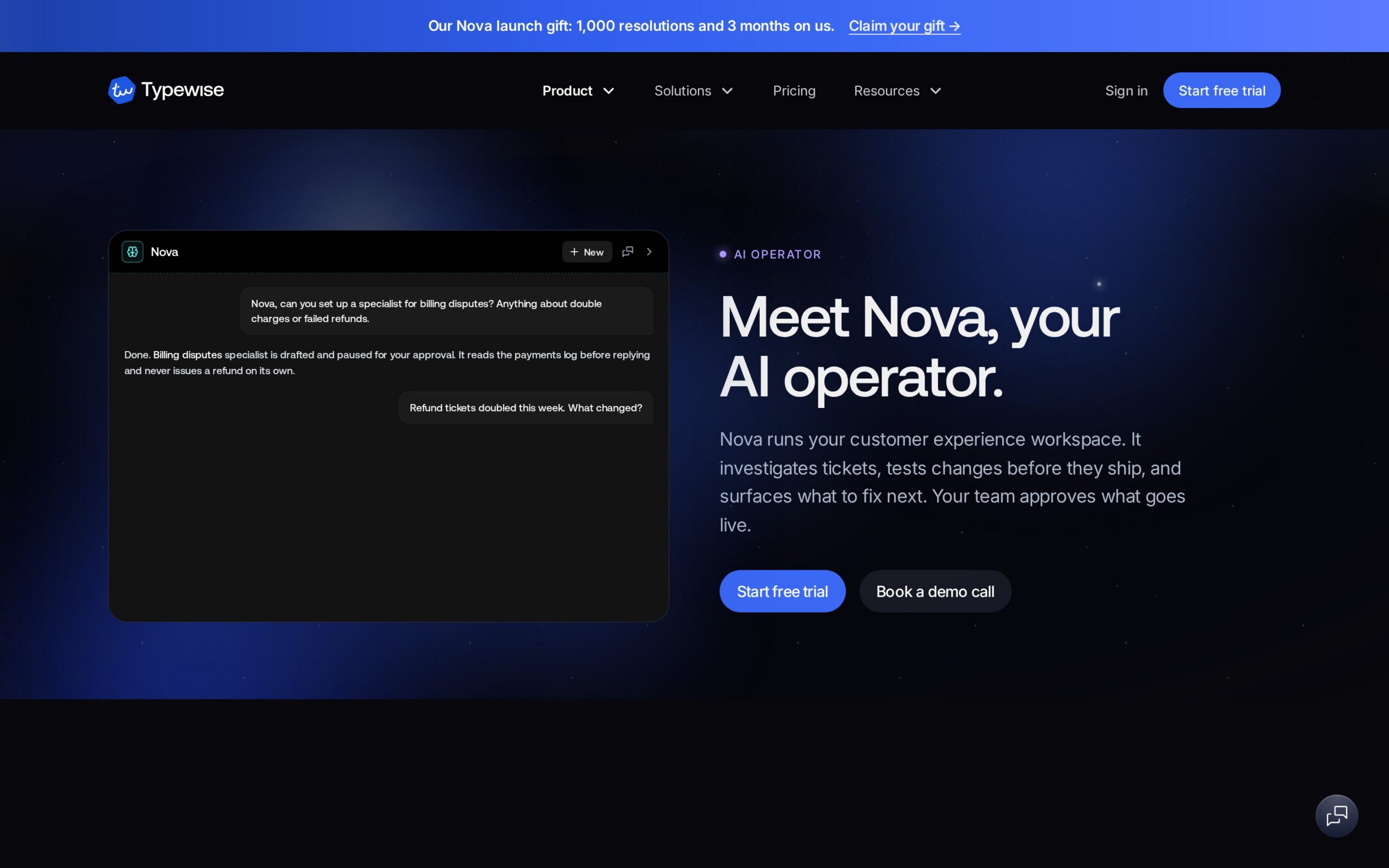
A customer-experience platform that lets service teams build and improve customer-service agents. You define handling processes, test agents against historical data, monitor performance, and get improvement suggestions—all without relying entirely on technical staff for scripting and review.
Why It's Trending
Nova surfaced in September 2026 evidence and got some Product Hunt attention on September 10. The signal is interest, not proven adoption: no customer names, pricing, integrations, or rollout timeline were published in the source we saw.
Key Capabilities
- Lets teams specify customer-handling workflows
- Creates customer-service agents from those processes
- Tests agents against historical conversation data
- Tracks agent behavior after launch
- Suggests improvements for ongoing service tuning
Best For
- Customer-support teams defining and testing service processes
- Business teams building agents without deep technical skills
- Support operations teams monitoring agent performance
- CIOs evaluating autonomous customer-service development
What Makes It Different
Nova’s differentiator is the closed loop from process definition to historical testing, monitoring, and suggested improvement. Against Intercom Fin, it looks more focused on building and tuning agents than on selling a mature per-resolution channel, but the evidence is still very thin.
Enterprise Use Cases
- Customer-support teams defining customer-handling processes
- Support operations teams testing agents against historical chats
- Business teams monitoring agent performance after deployment
- Service teams using suggested improvements to refine handling
Deployment & Integration
Cloud / API – Integration details weren't published in the available September 2026 source.
Things to Consider
- The source published no security, governance, or residency details.
- Testing with historical data raises data-handling questions that aren't answered.
- No enterprise integrations were published, so connector work is unconfirmed.
- With no published pricing, a serious ROI comparison is premature.
Our Verdict
Customer-support teams can investigate Nova for agent creation and historical testing, but CIOs should keep the evaluation narrow until Typewise discloses integrations, data controls, pricing, and evidence from real deployments.
Product page: https://www.typewise.app/nova
9. WeKnora
What It Does
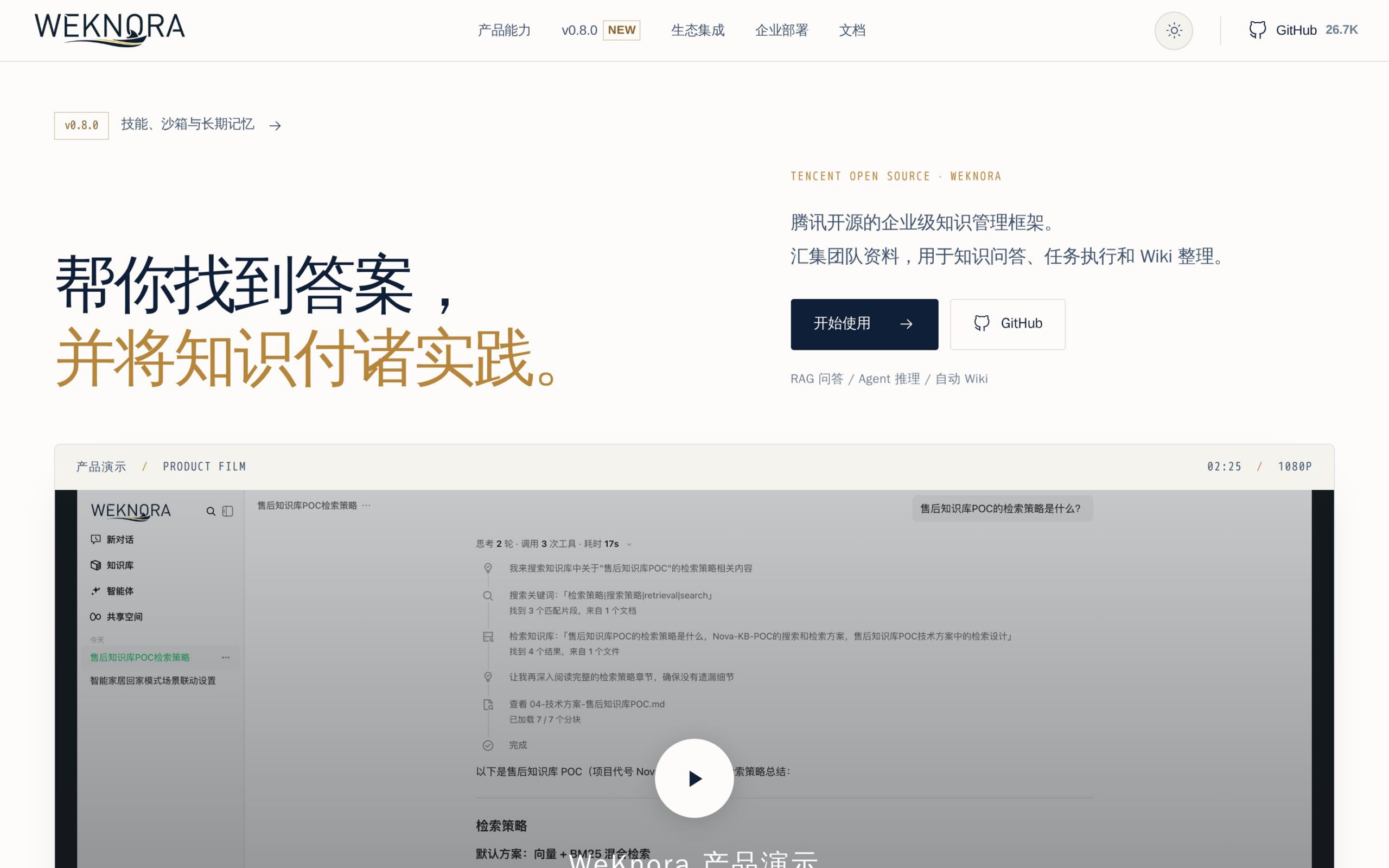
Tencent’s open-source knowledge platform that turns raw documents into a queryable retrieval-augmented generation system. It includes an autonomous reasoning agent and a self-maintaining wiki, targeting the practical work of organizing documents, keeping internal knowledge fresh, and answering questions from company material.
Why It's Trending
The September 2026 evidence reported over 22,000 GitHub stars—a substantial community signal for a newly surfaced project. That’s not the same as enterprise adoption, but it puts WeKnora ahead of many open-source options when knowledge teams are exploring self-managed routes.
Key Capabilities
- Converts raw files into a queryable knowledge system
- Answers questions over ingested documents (RAG retrieval)
- Supports autonomous knowledge tasks with a reasoning agent
- Maintains an organizational wiki that updates itself
- Open-source deployment for inspection and management
Best For
- IT teams piloting self-managed knowledge retrieval
- Knowledge-management teams organizing raw enterprise documents
- Business teams reducing manual wiki upkeep
- CTOs assessing open-source alternatives to hosted search
What Makes It Different
WeKnora combines RAG with an autonomous reasoning agent and a self-maintaining wiki, while LLM Wiki takes a desktop, persistent-wiki approach. The open-source model offers more deployment control, but there are no named enterprise integrations or customer proofs yet.
Enterprise Use Cases
- Knowledge teams transforming raw docs into searchable internal knowledge
- Business teams maintaining a self-updating organizational wiki
- IT teams piloting document retrieval without published seat pricing
- Employees querying company documents through a RAG system
Deployment & Integration
On-premise / Hybrid / API – Requires document ingestion and RAG infrastructure; named enterprise-system integrations weren't published.
Things to Consider
- The open-source model supports self-management, but there's no published security architecture or certifications.
- Residency and governance details weren't published, so document handling needs a technical review.
- Implementation involves document ingestion and wiki setup, with no rollout timeline or named connectors.
- No pricing was published; you must account for infrastructure, maintenance, and support costs yourself.
Our Verdict
Evaluate WeKnora for a controlled, self-managed knowledge pilot if your team can own document governance, infrastructure, maintenance, and the lack of proven enterprise integrations.
Product page: https://weknora.weixin.qq.com
10. LLM Wiki
What It Does
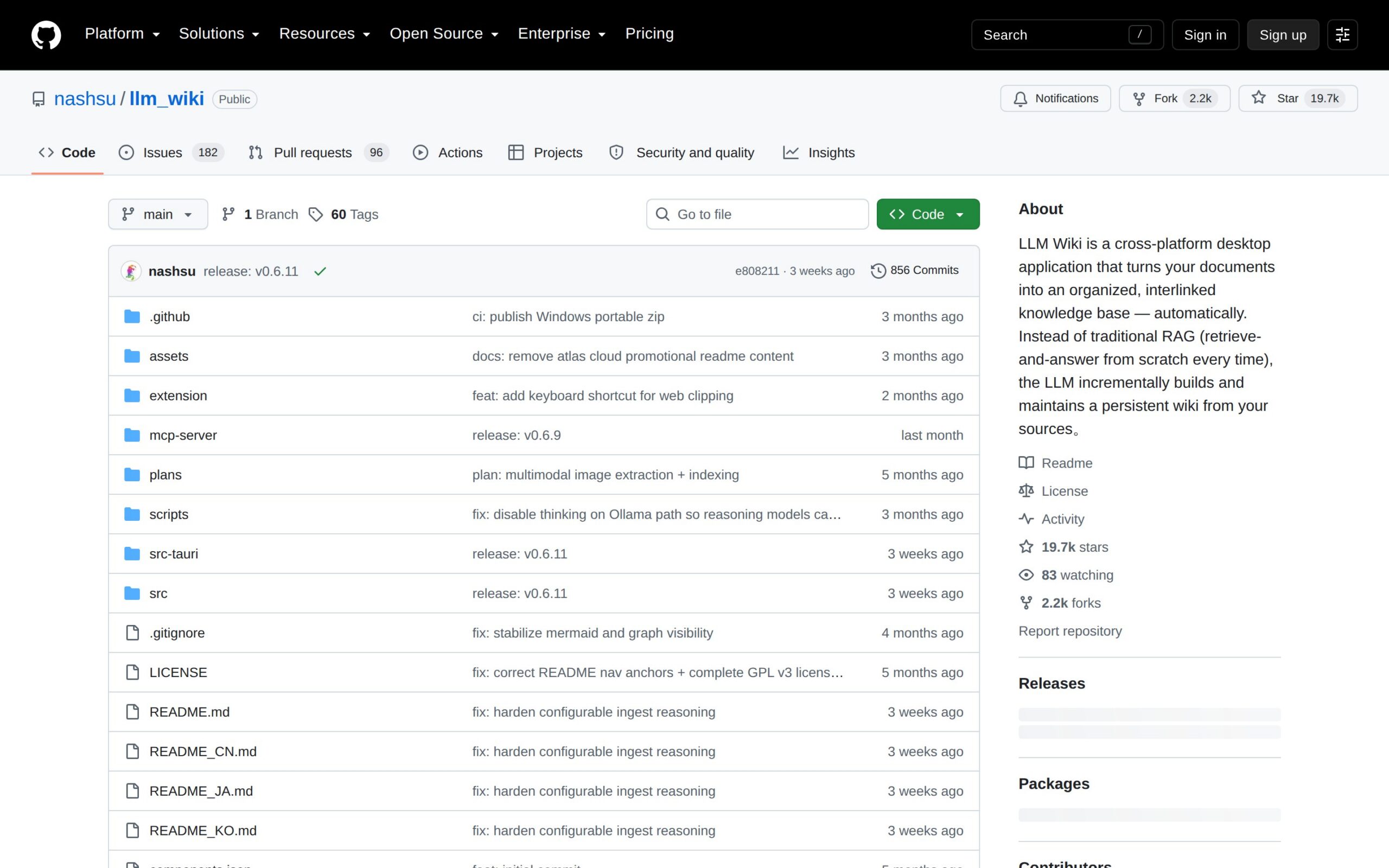
A cross-platform desktop app that turns documents into an organized, interlinked knowledge base. Instead of just RAG, it uses a persistent wiki model and incremental updates to keep knowledge organized as teams add material from different sources.
Why It's Trending
The September 2026 evidence cited 647 daily GitHub stars, showing strong engagement. That attention reflects experimentation, not deployment: the repo offers no customer proof, pricing, compliance details, or named business-system integrations.
Key Capabilities
- Structures source material into a knowledge base
- Automatically connects related information with interlinked pages
- Maintains knowledge with a persistent wiki model
- Refreshes knowledge as sources change with incremental updates
- Supports local team experimentation via cross-platform desktop use
Best For
- Business teams organizing growing document collections
- Knowledge-management teams reducing manual wiki creation
- IT teams testing desktop-based internal knowledge tools
- CTOs evaluating open-source knowledge alternatives
What Makes It Different
LLM Wiki’s persistent wiki model and desktop form factor set it apart from conventional RAG tools and WeKnora’s platform approach. It could suit a contained experiment, but repository-level evidence isn't enough to call it enterprise-ready.
Enterprise Use Cases
- Knowledge teams creating interlinked internal docs from source files
- Business teams reducing manual document linking and wiki upkeep
- IT teams deploying a desktop knowledge experiment
- Employees maintaining incrementally updated knowledge from multiple sources
Deployment & Integration
On-premise / Hybrid – Cross-platform desktop deployment and document ingestion; named enterprise integrations weren't published.
Things to Consider
- The source provides no published security controls, certifications, or enterprise access model.
- Governance and residency details weren't published for processed documents.
- Desktop deployment and ingestion from various sources require local rollout work.
- The project has no published pricing, so support and maintenance costs are on you.
Our Verdict
Treat LLM Wiki as a contained technical evaluation for document organization, not a company-wide platform, until its security, administration, integrations, and support obligations are properly documented.
Product page: https://github.com/nashsu/llm_wiki
The strongest cases aren't the loudest launches. Tools like Amazon Q Business, Moveworks, Glean, and Fin have clearer operational entry points, while Command A+ offers a model-layer decision for application teams. The open-source projects deserve pilots, not automatic procurement.
Whatever you choose, prove permission handling, integration effort, and total cost against one measurable workflow before you even think about expanding.